LibGDX – Deferred Asset Loading with GWT
In order to ensure timely loading when creating textures, or other file-based objects, the GWT backend of LibGDX employs a Preloader which downloads and caches all of the assets before loading the actual game. This is great when you need to have access to those assets at creation time, but in the case of larger games this may needlessly extend the time it takes to get to the game. I recently spent a little bit of time investigating the best way to defer loading of those assets not needed immediately, and made some changes in LibGDX’s GWT Preloader mechanism to allow for this. It does take a bit of configuration, but I think it can be worth it when warranted. In this post, I’ll describe the steps involved in setting this up.
 Posted in
  Tags:
Tags: 
LibGDX – Making a Paged Level Selection Screen
Welp, it looks like it has been about a year since my last post, so I figured I’d get something up here before a full year went by. Today, I’ll be going over some code I put together to make a paged level selection screen with LibGDX’s Scene2D package. I endearingly refer to this as Angry Birds style, but it’s obviously not exclusive to Angry Birds and has found it’s way into countless games and apps. Anyway, continuing on…
First of all, a screenshot of what we will be making. Note, I am not an artist, so I will just be using the basic skin as can be found in the LibGDX Tests project. You’ll obviously want to use your imagination to make it nicer looking.
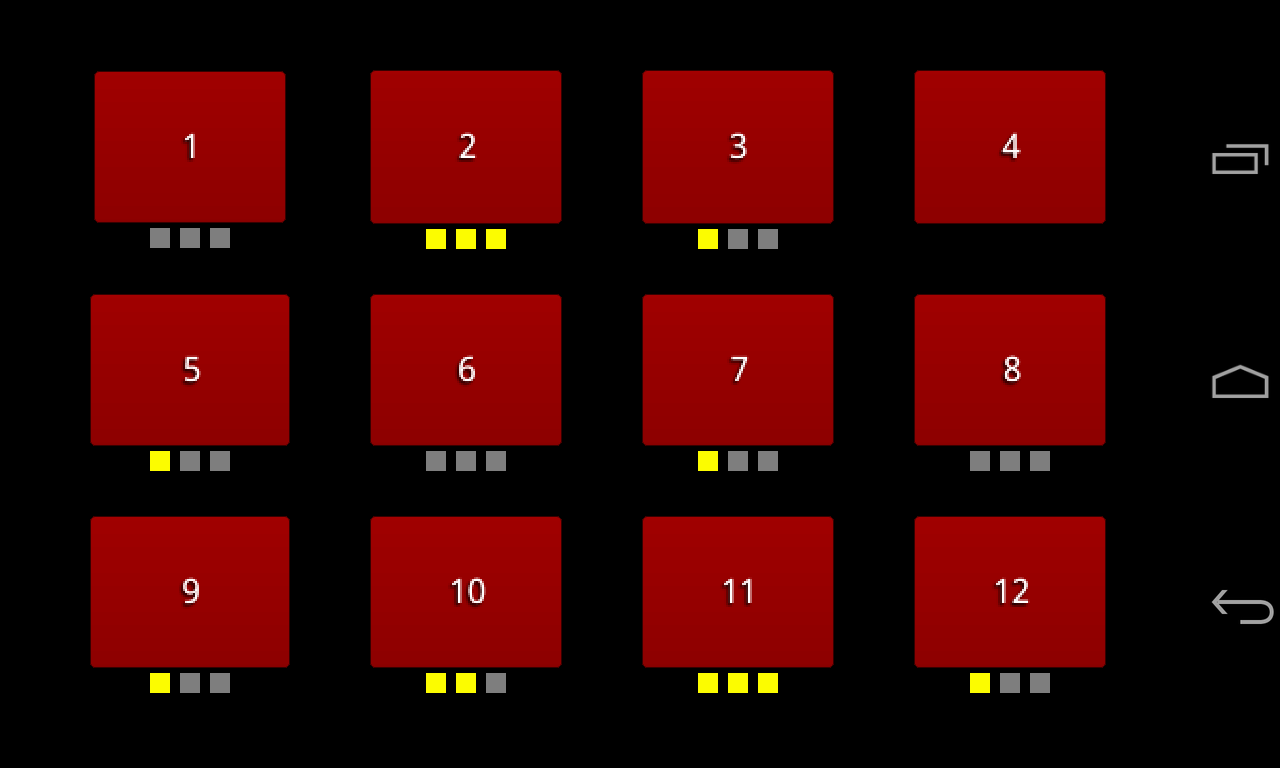
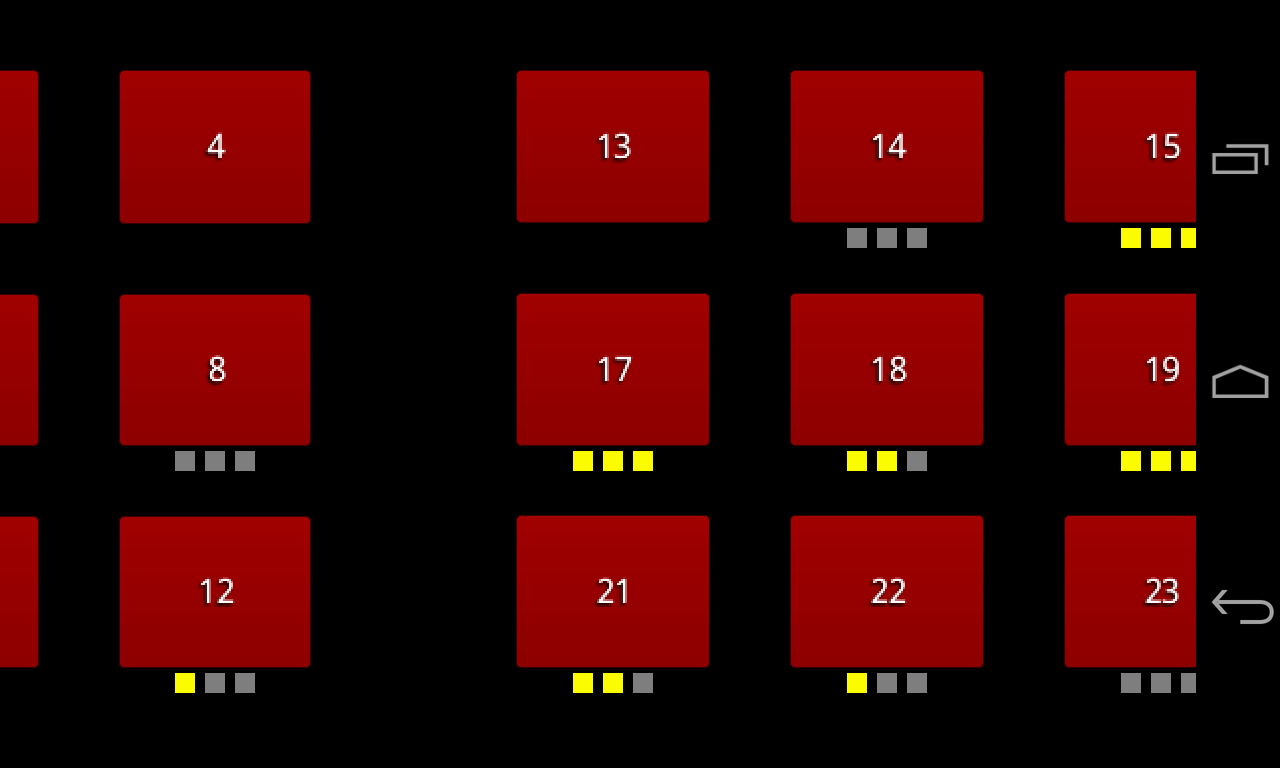
There, isn’t that nice? Still pictures don’t really do it justice but I am on a time limit here so they’ll have to do.
Read the rest of this entry »
Quick Tip: LibGDX – GWT – Mouse Pointer
Today, I was working with the GWT backend for LibGDX and in this particular game I was using mouse drag. I was met with an unsightly text-selection cursor on my mouse. It made me sad, and I bet it’d make you sad too.
Here’s one way to fix that…
The default index that the LibGDX Setup creates is pretty basic, which is good as it makes no assumptions as to what you want. Here’s an example:
<!doctype html>
<html>
	<head>
		<title>lines</title>
		<meta http-equiv="content-type" content="text/html; charset=UTF-8">
	</head>

	<body>
		<div align="center" id="embed-com.mobi.lines.Lines"></div>
		<script type="text/javascript" src="com.mobi.lines.Lines/com.mobi.lines.Lines.nocache.js"></script>
	</body>
</html>
Unmodified, this allows the aforementioned text-selection cursor to appear upon drag operations. If you don’t want that, you can add the following style (to the head) and script (at the end of the body) tags to your index.html:
<style>
	canvas { cursor: pointer; }
</style>
and
<script>
	function handleMouseDown(evt) {
	  evt.preventDefault();
	  evt.stopPropagation();
	  evt.target.style.cursor = 'pointer';
	}
	function handleMouseUp(evt) {
	  evt.preventDefault();
	  evt.stopPropagation();
	  evt.target.style.cursor = '';
	}
	document.getElementById('embed-com.mobi.lines.Lines').addEventListener('mousedown', handleMouseDown, false);
	document.getElementById('embed-com.mobi.lines.Lines').addEventListener('mouseup', handleMouseUp, false);
</script>
In the end, you should have something like this:
<!doctype html>
<html>
	<head>
		<title>lines</title>
		<meta http-equiv="content-type" content="text/html; charset=UTF-8">
		<style>
			canvas { cursor: pointer; }
		</style>
	</head>

	<body>
		<div align="center" id="embed-com.mobi.lines.Lines"></div>
		<script type="text/javascript" src="com.mobi.lines.Lines/com.mobi.lines.Lines.nocache.js"></script>

		<script>
			function handleMouseDown(evt) {
			  evt.preventDefault();
			  evt.stopPropagation();
			  evt.target.style.cursor = 'pointer';
			}
			function handleMouseUp(evt) {
			  evt.preventDefault();
			  evt.stopPropagation();
			  evt.target.style.cursor = '';
			}
			document.getElementById('embed-com.mobi.lines.Lines').addEventListener('mousedown', handleMouseDown, false);
			document.getElementById('embed-com.mobi.lines.Lines').addEventListener('mouseup', handleMouseUp, false);
		</script>

	</body>
</html>
I know, it’s not exactly earth-shattering stuff here, but I hope it can help someone.
LibGDX via AIDE
For quite some time I’ve dreamed of being able to use my Android devices for development. Until recently, this dream seemed like it would never become a reality (at least, to the extent I wanted). Then, I learned of a new app available on the Google Play store… AIDE – Android IDE, an on-device development environment for Android applications. I’m not sure if this is the first app of its kind or not, but it sure seems like it’s the best.
So, what exactly does AIDE do that makes it so awesome? Well, first of all, like any good code editor AIDE offers syntax highlighting. More interestingly though, it provides code completion, refactoring, and other helpful features that traditional IDEs offer (and most on-device code editors don’t). Lastly AIDE, makes it possible to compile and run your application directly without having to use a computer. This is, to me, the most exciting aspect of AIDE.
After working with LibGDX for the last year and a half, I naturally wanted to see if I could use AIDE to continue to do so. My first attempt ended rather quickly with a issue report to the developer of AIDE but they turned around a fix very quickly and I was back in business. Lo and behold, it works!
There are a couple ways to get this set up, but here I’ll describe an easy way to start a new project. I’ll assume we want to maintain the best practice 3+ project setup and, to make it easier, I will utilize the dev-guide demo project from the LibGDX SVN repository on Google Code.
I’m sure I don’t have to tell you this but, to be sure, ensure you have AIDE installed on your Android device (this will work the same on phones or tablets).
With that out of the way, the first step will be to acquire the dev-guide project. I did this right on my device using Open Android SVN but you can use any means you like (Box, Dropbox, and Google Drive are all fine choices, as is copying from your computer). I copied the dev-guide folder to the AppProjects folder that AIDE sets up on the sdcard but this isn’t strictly necessary as AIDE will open projects from anywhere you like. Next, start AIDE, then locate and open the my-gdx-game-android project. We’ll need to make some very minor modifications so it works in the AIDE environment. Open the .classpath file in the project root. Update the references to the shared project and gdx.jar so that they are relative to the project (as opposed to the workspace). At the time of writing, the icons included in the my-gdx-game-android project are broken so you’ll need to replace them. Creating a new project in AIDE is a fine method of acquiring new ic_launcher.png graphics. Just copy and replace the same in the my-gdx-game-android project. Now, we are ready to run the game to make sure everything is correctly setup. Simply choose the Run option from the Menu (or Action Bar if on Android 3.0+). It will take a few moments to compile and install. When it opens you should be met with a nice fuschia screen (You can thank Mario for that one).
Assuming all went well, you are now ready to build out the next big thing. You’re only limited by your own imagination. Well, that and your ability to be productive and creative on your Android device. Perhaps, I will do another post with some apps I’ve found useful in that regard.
So, to recap, the steps are:
- Acquire AIDE
- Acquire the dev-guide project from Google Code
- Update the classpath
- Replace the icons
- Run
- ???
- Profit
Update:: I’ve fixed the icons in the LibGDX SVN, so that step should no longer be required.
Changes Coming Soon
I realize I have been neglecting this blog, and since it is currently set as the default site for nEx.Software that doesn’t look very good. I am in the beginning stages of a redesign and a refocusing of the site. I plan to put more of a focus on nEx.Software as a company as opposed to nEx.Software as a blog since I clearly haven’t been the most attentive blogger around.
Stay tuned.
How Not To Ask A Developer For Updates
Recently, we received an email from a customer looking for updates on BarTor. OK, not all that uncommon right? The thing that stood out was the approach this customer took in asking for these updates. Lets just say that it was shockingly hostile, especially for a first contact email. Rather than explaining it, I will just include the email here along with my response.
Read the rest of this entry »
Announcement: Android 1.5 and nEx.Software Apps
We at nEx.Software feel strongly about Android, and we want to see it evolve. For SOME of the world, Android HAS evolved. The release of Android 1.6 in October of 2009 brought Android to a new level in many ways, and we feel that this is a step in the right direction. The fact that there are still phones being released based on Android 1.5 (Motorola CLIQ [T-Mobile], Samsung Behold II [T-Mobile], Samsung Moment [Sprint], HTC Hero [Sprint], HTC Droid Eris [Verizon], and even a Motorola device rumored to be coming out in 2010 [Unknown]) is counterproductive to this evolution. While we do understand that it takes time to update something as big as an operating system, and this is especially true when dealing with custom user interfaces and functionalities, there needs to be a sense of urgency coming from manufacturers and carriers.
Read the rest of this entry »
My Three-Day Review Of The Motorola CLIQ
After having my Motorola CLIQ for three days, I decided to write down my thoughts and opinions of the phone and specifically focus on those aspects that are (in my opinion) of interest to current Android users who are looking at the CLIQ as a possible upgrade device. Read the rest of this entry »

Tutorial – Creating a Custom Analog Clock Widget
Hi all… Note, I am going to assume that there are at least a few people who have wandered off, gotten lost, and somehow ended up here. Hopefully, a few of you meant to be here too…
Yesterday, I was perusing the forums over at www.androidandme.com (as I often do) and one of the members had posted a question related to development. Of course, I hunt these down and pounce whenever I see them. So, on to the question, which I am going to strip down to the scope of this post… How does one write a custom Analog Clock Home Screen Widget for Android.
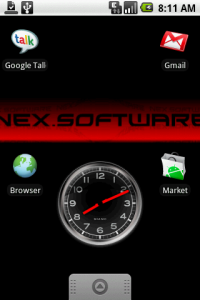 So, as I am sure you have already guessed, I have decided to write a tutorial (with code) to explain in detail how to do just that.
Before we continue, I should point out that as I am writing this I am going to assume that you have obtained, installed, and know how to use the software tools for Android Development. For the purpose of this tutorial, these tools are: JDK 1.5 or higher, Android 1.5 SDK, Eclipse 3.4 or higher, and the Android Development Tools Plugin for Eclipse.
Now that that is all out of the way, let’s move on to the tutorial…